A Google review QR code with no subscription.
Happy customers leave reviews when it takes one scan. Put a card by the till, on the table or in the bag, and the scan opens your Google review form.
Make a review QR codeAsk for reviews with something worth looking at.
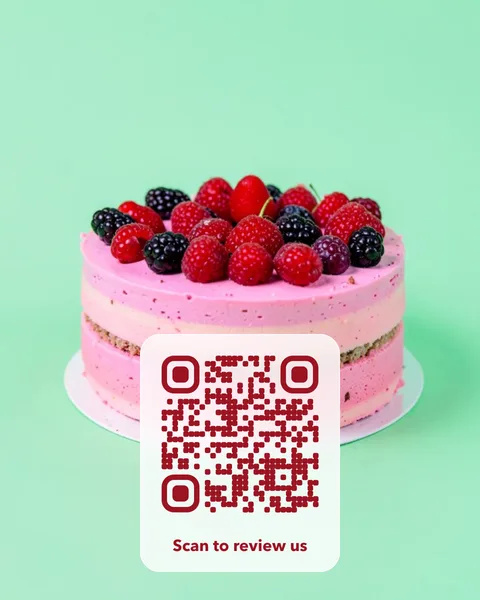
A plain black square is easy to ignore. Put the code on your own photo, one made for you, or one of ours. Every card is checked with a scanner before you can buy it.


Where to find your review link.
- Open your Google Business Profile. Sign in with the account that manages your business on Google Search or Maps.
- Choose “Ask for reviews”. Google shows a short link that opens the review form for your business. Copy it.
- Check it on a phone. Open the link in a private window: it should go straight to your review form.
- Make the card. Paste the link, pick a photo and the words on the card, such as “Scan to review us”.
Google doesn’t allow offering discounts or gifts in exchange for reviews, so ask without a reward.
Pay once. The code doesn’t stop.
Many QR generators charge monthly and switch editable codes off when the plan or trial ends. A VividQR code costs $14 once, with no subscription and no fixed expiry date. If your review link ever changes, or you want the card to open a different page for a while, change the destination and keep the printed cards.
Questions owners ask.
What do I get to print?
After payment, an A6 table card and a 70 mm round sticker as print-ready PDFs with bleed, plus SVG and PNG files.
Is there a monthly charge?
No. Each code is a one-time purchase. Redirects rely on VividQR continuing to operate. Read the service terms.
Does the scan show an advert first?
No. It redirects straight to the page you chose.
Want a plain review sign instead?
The review sign maker lays out a printable counter sign with your review link. Open the review sign maker.
Make reviews one scan away.
Preview your card free. Pay $14 once when it looks right.
Open the photo QR studio